

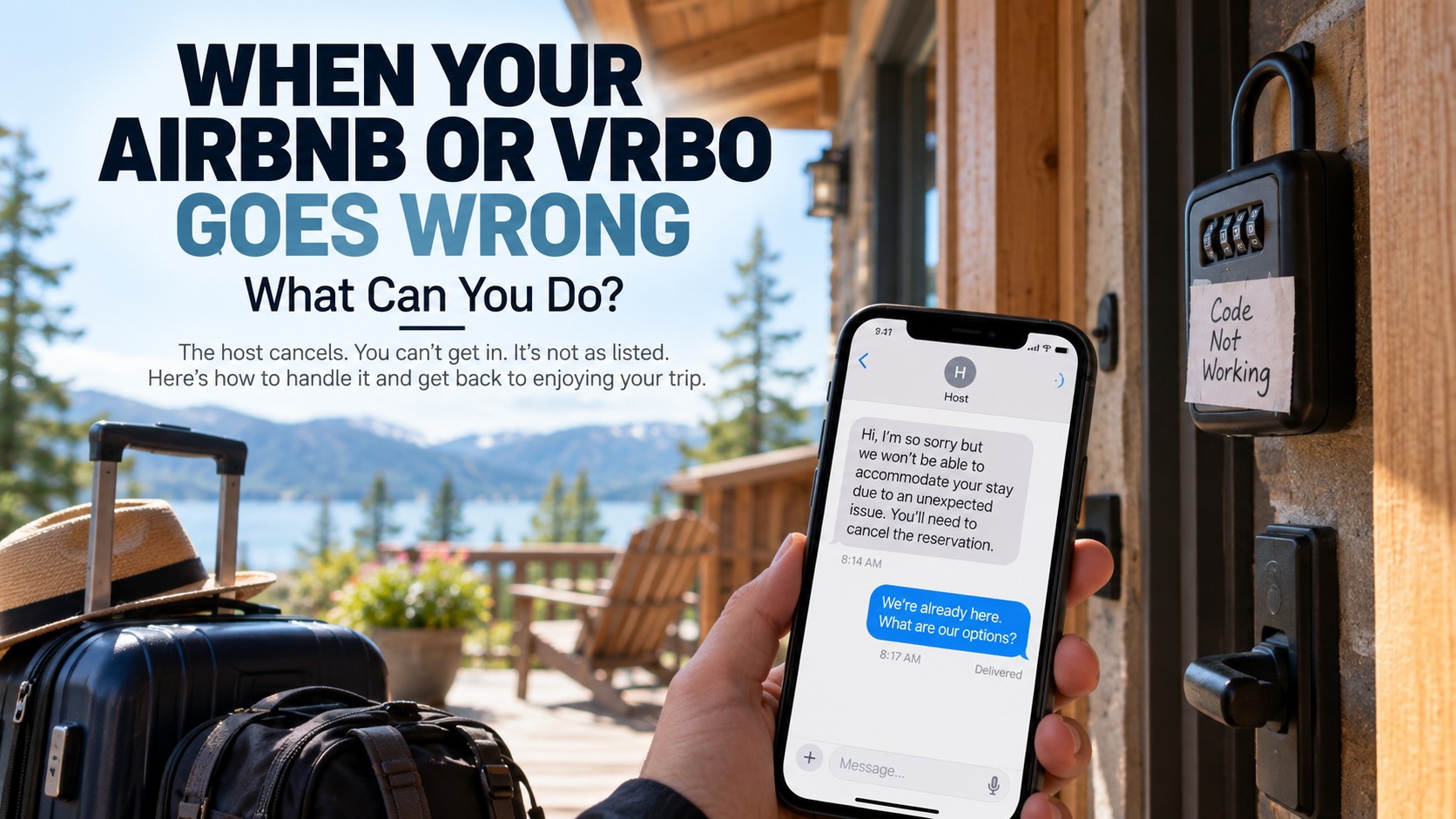
When Your Airbnb or Vrbo Goes Wrong: What Can You Do?
The host cancels. You can't get in. The rental doesn't match the listing. An important amenity is missing. Here's how to document the problem, involve the host or platform and protect the rest of your trip.
Vacation rentals are different from hotels.
There may be no front desk downstairs. No maintenance employee waiting in the lobby. No manager who can simply hand you keys to another room.
When something goes wrong, your first conversation may be a message to a host who lives hundreds of miles away.
That's one reason communication matters so much.
We've experienced vacation rentals from both sides of the front door. We've stayed in Airbnbs and Vrbo properties on our travels, and we've also hosted guests ourselves.
From both perspectives, we've learned something important:
Things happen.
An appliance can break. An air conditioner can quit. A propane tank can unexpectedly run empty. A guest can misunderstand a listing. A host can make a mistake.
A problem doesn't automatically make someone a bad host or a bad guest.
What matters is what was promised, what actually happened and what everyone does next.
And unlike a hotel stay, the booking platform itself may become an important part of the solution.
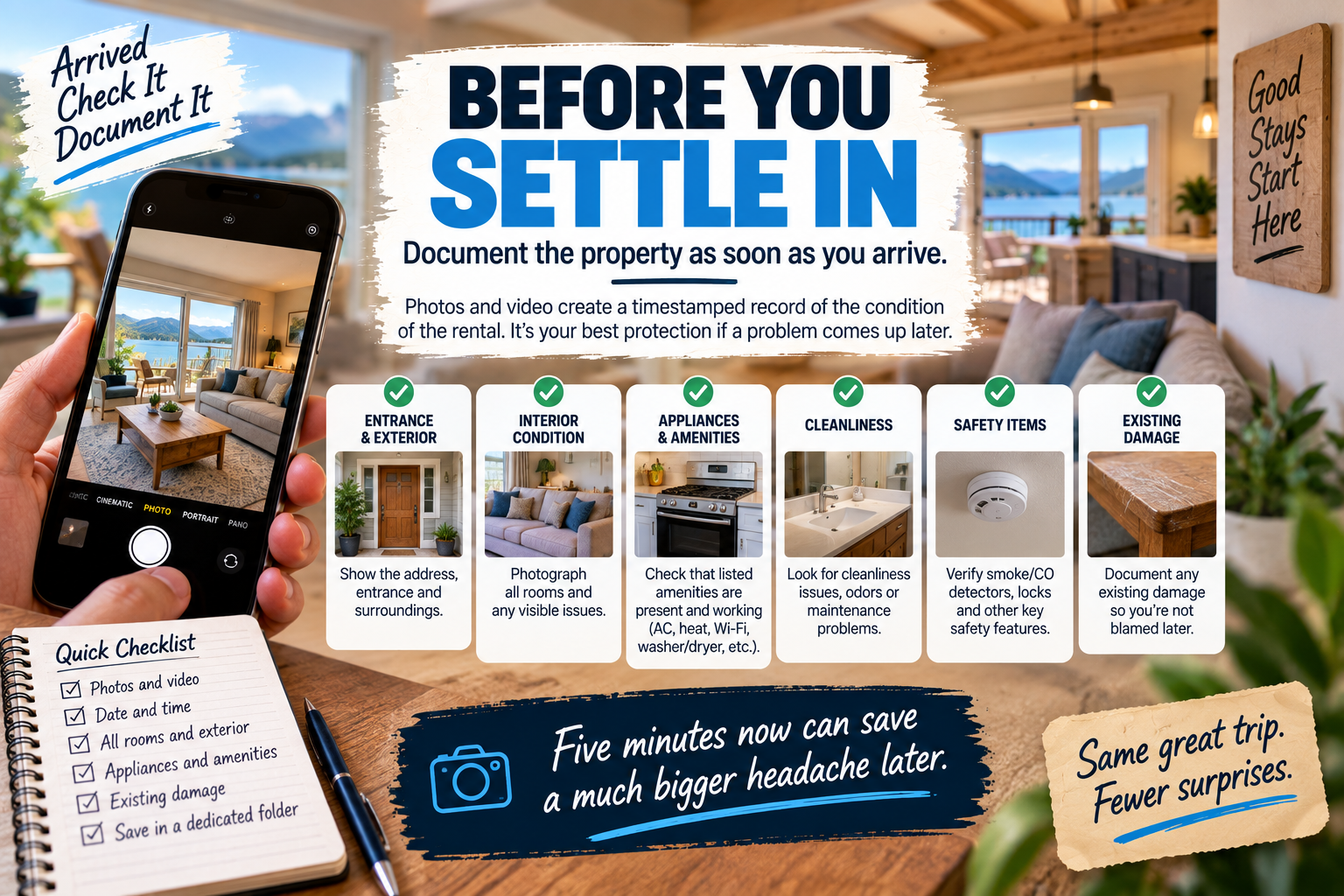
Before You Settle In, Take Five Minutes
You don't need to conduct a forensic investigation every time you enter an Airbnb.
But take a quick look around.
Does the property generally match the listing? Are the important amenities there? Is there obvious existing damage? Is the rental reasonably clean? Do the locks work?
A few photographs or a short video can create a timestamped record of what the property looked like when you arrived.
Most of the time, you'll never need those pictures again.
Perfect.
But if there's a dispute later, you'll be glad you have them.
Start With the Listing
Before deciding that a property isn't what you expected, go back and read what you actually booked.
That's important because there's a big difference between:
Not what I imagined
and
Not what was advertised.
We see this from the host side ourselves.
FROM THE OTHER SIDE OF THE DOOR: YES, THE ROAD REALLY IS UPHILL
One of our vacation rentals is a mountain cabin.
Getting there requires traveling roughly a mile on a gravel mountain road. It's narrow, winding, unlit and uphill, with pull-offs for oncoming traffic.
We don't hide that.
The listing explains it. We highly recommend AWD or 4WD. Guests have to acknowledge the road conditions before booking. And in our first communication, we recommend making the first trip up during daylight whenever possible.
We've still had guests complain that the property was remote or difficult to reach.
One complaint essentially amounted to:
“It was uphill the entire way.”
Well...yes.
It's a mountain. 😆
One guest arrived around 5 a.m. after getting a late start on the trip and then wanted a refund for the previous night because they hadn't used it.
The lesson isn't that a guest can never complain about access.
It's that something clearly disclosed before booking doesn't become a listing defect simply because you don't like it when you arrive.
Read descriptions. Look at maps. Read house rules. Pay particular attention to unusual access, stairs, parking, occupancy limits and other details that could materially affect your stay.
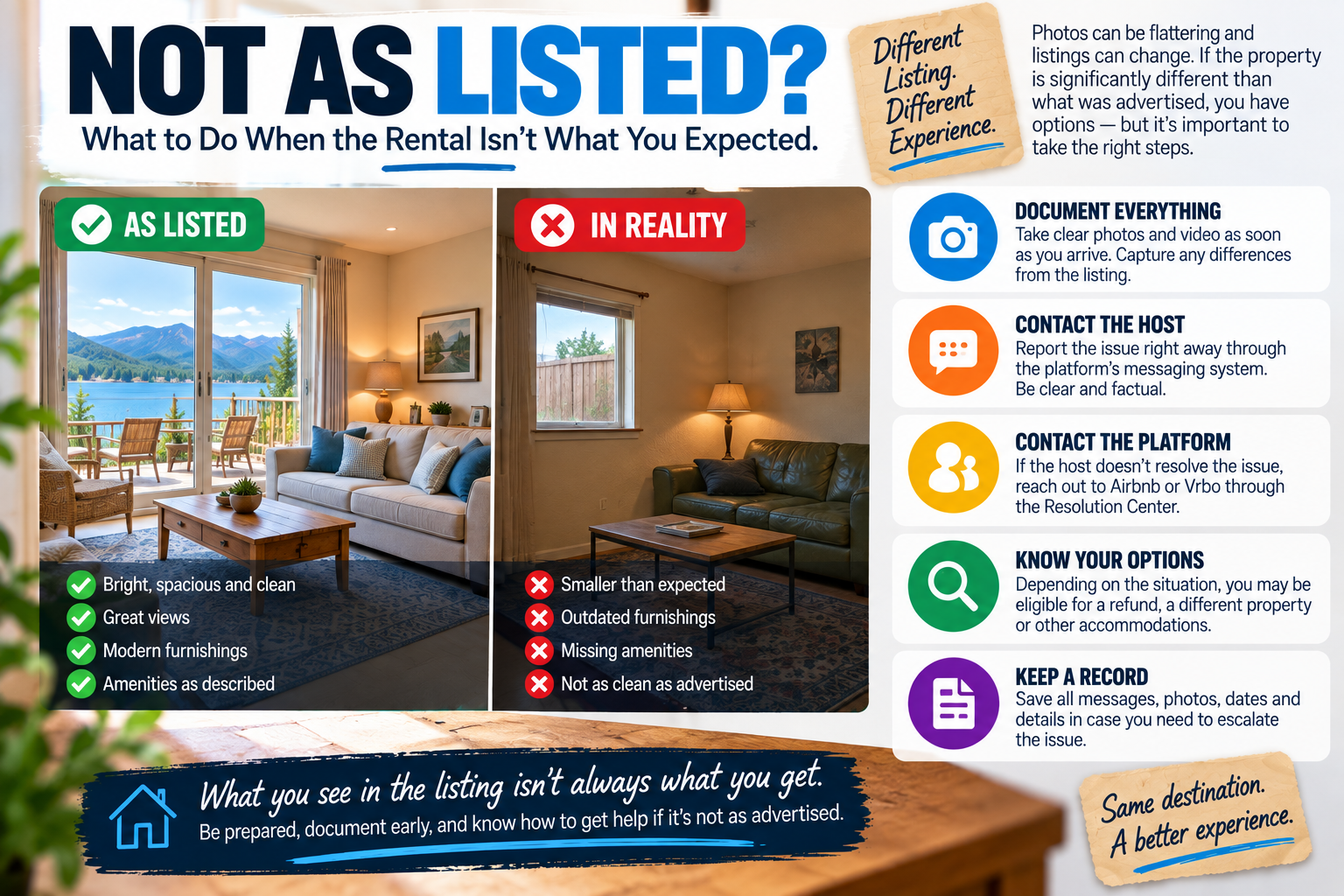
When “Not As Listed” Really Does Mean Not As Listed
Now flip the situation around.
What if the listing really doesn't match reality?
Airbnb's current Rebooking and Refund Policy for Homes recognizes a number of qualifying reservation problems, including situations where a guest can't access the property, the home isn't reasonably clean or sanitary, the property significantly differs from the listing, or an advertised major amenity such as a pool, hot tub, major appliance, heating or air conditioning isn't present or functioning. Airbnb says qualifying problems can result in a full or partial refund or rebooking assistance depending on the circumstances, availability and comparable pricing.
Airbnb Rebooking and Refund Policy for Homes
Vrbo similarly tells travelers whose property significantly differs from the listing to contact the host first and also report the issue to Vrbo within 24 hours of check-in.
Vrbo: Property Not as Described
The word significantly matters.
A different color sofa probably isn't going to derail your vacation.
A property with serious structural, cleanliness or safety problems is another matter.
FROM OUR TRAVELS: WHEN THE PROBLEMS KEPT ADDING UP
We've experienced that difference ourselves.
At a Vrbo rental in Chincoteague, Virginia, this wasn't a matter of deciding we didn't particularly like the decorating.
The house had significant foundation issues and was noticeably tilted. Some doors wouldn't close properly. Advertised bikes and kayaks were broken and unusable. The property wasn't clean.
There were also cleaning requirements we didn't learn about until after check-in.
We contacted management and the concerns were essentially “noted.”
But noting a problem isn't the same thing as fixing it.
Eventually, we left a day early.
We received the cleaning fee back, but the experience taught us an important distinction:
One broken item may be a maintenance problem. Multiple material differences can become a property problem.
Document each issue and give the host or manager an opportunity to respond.
If the problem is significant and isn't being resolved, don't let the conversation simply drift along.
That's when the platform needs to know.
Give a Good Host a Chance to Fix a Fixable Problem
This is where being hosts ourselves probably affects how we travel.
We know things can break.
At our cabin, guests once discovered that the propane tank for the outdoor fire pit was empty. They offered to refill it.
We reimbursed the propane and gave them another $50 for the inconvenience.
Another time, the air conditioning failed on Thanksgiving Day. The guests were going out for much of the day anyway, but that wasn't the point.
The AC was supposed to work.
We comped the night.
We've been on the receiving end too. At one rental, both the oven and coffee maker weren't working.
I bought a roughly $15 coffee maker and moved on with my morning. The hosts later refunded us $100 for the inconvenience.
Everyone survived. Coffee was produced. Civilization continued. ☕
That's the kind of resolution we like.
Things break. Good hosting isn't about guaranteeing that nothing will ever go wrong. It's about what happens after something does.
Give a responsive host a reasonable opportunity to fix something that can be fixed.
But there's an important second half to that advice:
Don't let the conversation run out the platform's reporting clock.

Document the Problem, Not Just Your Frustration
If something significant is wrong, photograph it.
Take both wide shots and close-ups when useful. Save screenshots of the listing showing what was advertised. Keep messages with the host. Save receipts for reasonable expenses caused by the problem.
And keep your description factual.
Instead of:
“This place is a disaster.”
Try:
“The listing shows a working hot tub. We arrived at 4 p.m., and the hot tub isn't operating. I've attached photos of the control panel and the error message.”
The second version gives the host something to solve and gives the platform something to evaluate if the problem has to be escalated.
Airbnb specifically advises guests to document reservation issues with photographs or video and report them to the host or Airbnb.
Airbnb: What to Do if You Have a Problem During Your Reservation
Keep the Conversation on the Platform
When there's a meaningful problem, use the Airbnb or Vrbo messaging system whenever practical.
A phone conversation may solve something quickly, but if you agree to a refund, repair or other remedy, follow up through the platform:
“Thanks for speaking with me. Just confirming that...”
Now both sides have a record.
This protects guests, but it can protect a good host too.
As hosts, communication makes our job easier. Guests who tell us what's happening give us an opportunity to help.
And there's a human component to that.
Folks who are kind make you want to be kinder back.
That doesn't mean travelers should tolerate legitimate problems or avoid asserting themselves.
It means you can be clear without being combative.
Tell the host what's wrong. Tell them what you need. Give them a chance to respond.
The Reservation Works Both Ways
Guests have responsibilities too.
We once hosted a large family who asked in advance about bringing ten people to a lake property with beds for six.
We explained the sleeping arrangements clearly. They understood that some of the children would be using sleeping bags. We double-checked because we didn't want anyone arriving disappointed.
The stay went well.
But afterward, we discovered that the additional occupancy had put too much strain on the property's septic system. When they mentioned wanting to return, we explained that we couldn't accommodate that many people again.
Later, another member of the same group booked the property for six people.
When the doorbell camera showed the group arriving, there were four vehicles and eleven people.
We contacted them.
Their response was essentially that it had been okay the previous time.
But there was an important difference.
The first time, they asked. The second time, the reservation said six and eleven arrived.
We explained the septic limitation again. They already had access to another house, and several people moved there.
Problem solved.
The broader lesson applies to both sides:
Hosts need to accurately describe their properties. Guests need to accurately describe their reservations.
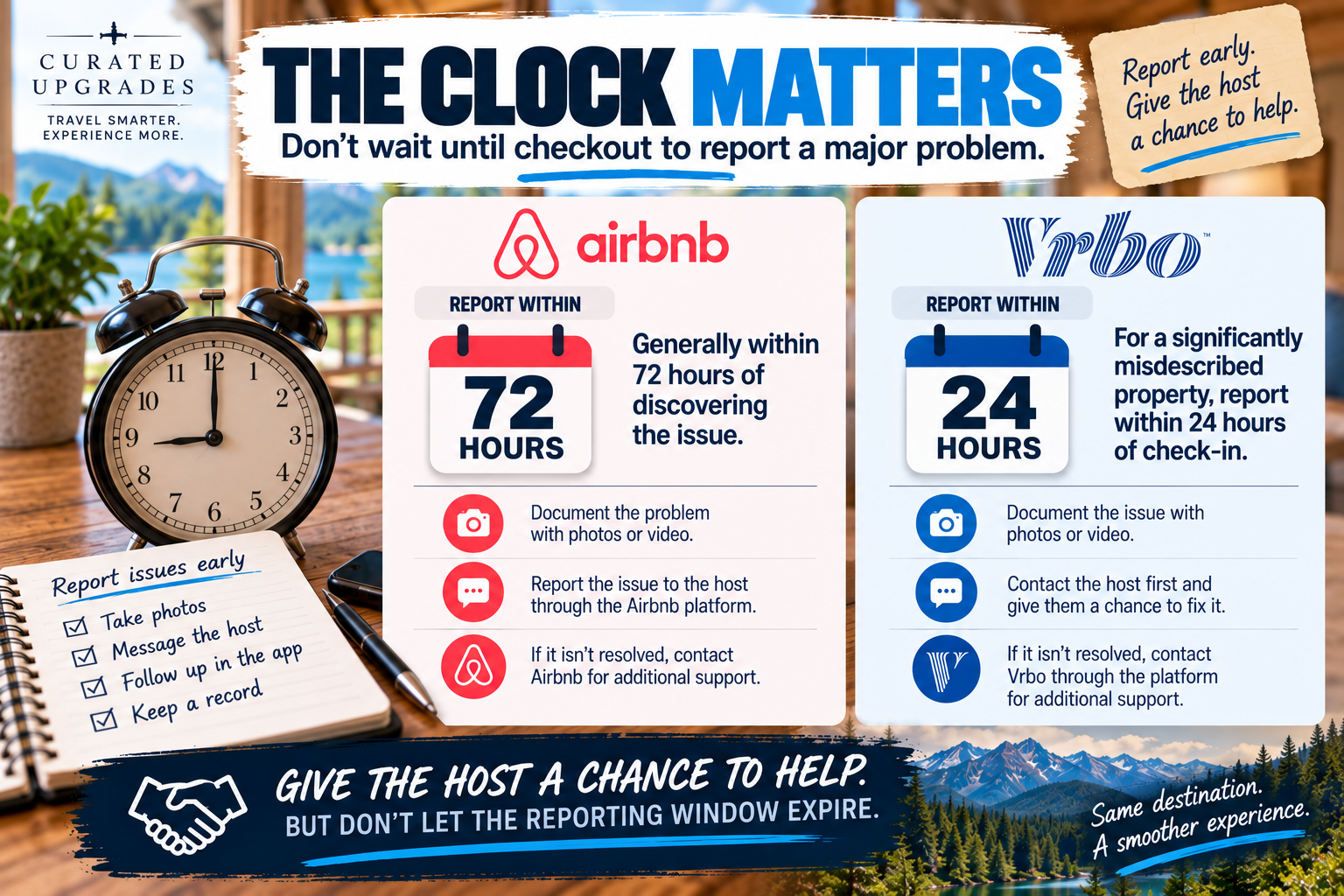
The Clock Matters
This is one of the biggest differences travelers should know.
Airbnb
Airbnb currently requires guests seeking help under its Rebooking and Refund Policy to report a qualifying reservation issue within 72 hours after discovering it. Airbnb asks for relevant evidence such as photographs or video and says it will generally try to confirm the reported concern with the host.
Vrbo
For a property that significantly differs from its listing, Vrbo's current guidance tells travelers to first contact the host and also report the issue to Vrbo within 24 hours of check-in.
Those aren't interchangeable blanket deadlines for every possible problem on either platform.
But they illustrate why waiting until checkout can be a terrible strategy.
Give the host a chance to help.
Just don't let the applicable reporting window expire while you're waiting.
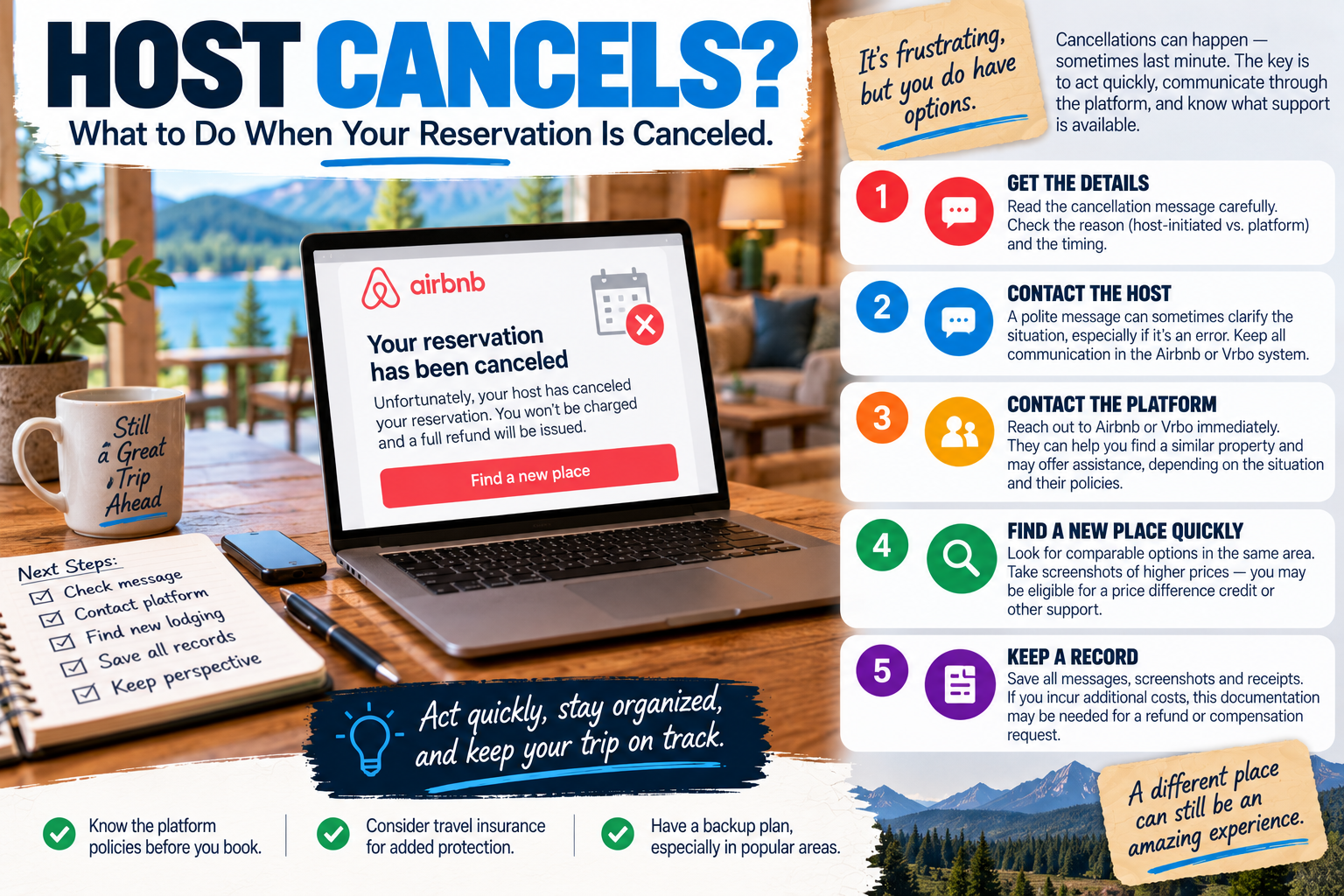
What If the Host Cancels?
A host cancellation creates a completely different problem.
You haven't necessarily lost money yet.
You may have lost the lodging you planned your trip around.
For Airbnb reservations, if the host can no longer accommodate you, Airbnb specifically tells guests not to cancel on the host's behalf. The host should initiate the cancellation. When a host cancels before check-in, Airbnb says the guest receives a full refund and Airbnb may help find a similar property based on availability at comparable pricing.
Airbnb: If Your Host Asks You to Cancel
That distinction can matter.
If the host says:
“I can't host you. Please cancel.”
Don't automatically hit the cancellation button for them.
Ask the host to process the cancellation.
FROM OUR TRAVELS: WHEN A REFUND WASN'T THE WHOLE PROBLEM
We once booked an Airbnb for a major race weekend.
About a week before the trip, the host canceled.
No real explanation.
Later, we saw the same house available again at roughly twice the price we'd originally booked.
We don't know why the host canceled, so I'm not going to pretend we do.
But we knew what the cancellation did to our trip.
By then, it was race week. Nearby lodging was expensive and availability had evaporated.
I contacted Airbnb.
Ultimately, we ended up in a hotel roughly an hour from the track. It had fewer amenities, was considerably less convenient for the event and cost more because we were booking at the last minute.
We got lodging.
We still went to the race.
But a refund of the original reservation couldn't give us back the location, amenities and price we'd secured months earlier.
That's why a host cancellation can be so disruptive.
Getting your money back and being made whole aren't necessarily the same thing.
If a host cancels during a high-demand period, start looking at alternatives immediately. Take screenshots of comparable replacement prices and keep receipts for additional costs.
And involve the platform promptly.
Cameras: What's Allowed?
Exterior security cameras aren't automatically a red flag at a vacation rental.
We have disclosed Ring doorbells at our own properties. We use them to confirm that guests have arrived safely, then turn off our alerts once they're settled in.
But the platforms draw an important line between exterior security and surveillance inside the rented space.
Airbnb currently prohibits security cameras and recording devices that monitor any part of a home's interior, even if they're turned off or disconnected. Exterior cameras are permitted subject to restrictions and disclosure requirements. Airbnb also permits certain disclosed noise-decibel monitors, but not in bedrooms, bathrooms or sleeping areas.
Airbnb Security Camera and Recording Device Policy
Vrbo likewise prohibits surveillance devices such as cameras and audio recorders inside a rental property. Exterior cameras and smart doorbells can be permitted, but their location and coverage must be disclosed, and private areas shouldn't be monitored.
Vrbo Surveillance Device Policy
If you discover an undisclosed or prohibited surveillance device, that's not the time for a leisurely discussion that lasts three days.
Document what you found and contact the platform promptly.
What Remedy Should You Ask For?
Just as with hotels, the remedy should fit the problem.
Coffee maker doesn't work?
Ask whether the host can replace it or reimburse a reasonable replacement.
AC fails?
Ask how quickly it can be repaired and what adjustment is appropriate if it materially affects the stay.
Advertised major amenity isn't available?
Document the listing and ask for repair, an appropriate refund or platform assistance depending on how important the amenity is to the stay.
Property significantly differs from the listing?
Document the differences, contact the host and involve the platform within the applicable reporting window if it isn't being resolved.
You can't get into the property?
Contact the host immediately. If access isn't restored promptly, involve the platform.
Host cancels?
Don't cancel for an Airbnb host who says they can't accommodate you. Let the host initiate the cancellation and contact the platform for assistance.
The biggest possible refund isn't necessarily the right outcome.
The goal is to get a reasonable solution to the actual problem.
Know When It's Time to Protect the Trip
There's a point where troubleshooting stops being productive.
A broken coffee maker doesn't require abandoning a vacation rental.
A serious safety problem might.
A responsive host who says, “I'm sending someone over in an hour,” deserves a reasonable opportunity to solve a fixable problem.
A host who disappears while you're standing outside a locked house with your luggage creates a very different situation.
Use judgment.
Document what's happening. Contact the platform. Understand your options before simply walking away when circumstances allow.
But don't sacrifice an entire vacation trying to force an unsuitable property to become the vacation rental you thought you booked.
Sometimes the upgrade is simply finding somewhere else to stay.
🟢 CURATED VERDICT: GIVE A GOOD HOST A CHANCE TO FIX IT
Things break.
We've dealt with that as guests and as hosts.
A good host can't prevent every mechanical failure, empty propane tank or appliance malfunction.
What they can control is how they respond.
Report fixable problems promptly and give a responsive host an opportunity to make things right.
🟡 CURATED VERDICT: READ THE LISTING AND KEEP THE CONVERSATION IN WRITING
Know what you actually booked.
If the listing disclosed the gravel road, stairs, occupancy limits or other important condition before you reserved, don't be surprised when it exists.
And when something genuinely is wrong, keep the important conversation in the platform's messaging system.
What was promised matters. So does what was disclosed.
🔴 CURATED VERDICT: DON'T LET THE REPORTING CLOCK RUN OUT
A host may be working on the problem.
Great.
But significant issues should still be documented and reported within the applicable platform window.
Airbnb's current policy generally gives guests 72 hours from discovering a qualifying reservation issue. Vrbo currently tells guests to report a property that significantly differs from its listing within 24 hours of check-in.
Don't wait until the drive home to decide that something should have been addressed during the stay.
The Bottom Line
Vacation rentals work differently from hotels because the relationship is different.
There's usually a host on one side, a guest on the other and a booking platform sitting between them.
That can make problems more complicated.
It can also make communication incredibly important.
Read the listing before you book. Save the important details. Take a few photographs when you arrive. If something goes wrong, document it and contact the host promptly.
Give a good host the opportunity to fix something that can reasonably be fixed.
But know the platform rules and don't let an important reporting deadline slip away while you're waiting.
We've been the travelers asking for help.
We've also been the hosts receiving the message.
From both sides of that front door, the principle is remarkably similar:
Be accurate. Be reasonable. Communicate. And when something goes wrong, focus on finding a solution that gets the trip back on track.
Platform policies and consumer protections can change. This article reflects Airbnb and Vrbo policies reviewed in September 2026 and is intended as general travel information, not legal advice.
COMPANION ARTICLE
Staying at a hotel instead?